
A heat press machine is a device that clamps a heated plate, called the platen, onto a shirt or other blank for a set time, at a set temperature and pressure, so a transfer bonds to the surface. Transfer Express names those three settings, time, temperature and pressure, as what every successful heat transfer needs.
A press only supplies heat and pressure. It doesn’t print or cut, so you still need a transfer: vinyl cut on a craft cutter, sublimation paper printed with sublimation ink, or a ready-made DTF film. Settings aren’t universal either. Signwarehouse says the transfer maker’s instructions always take precedence over any general chart.
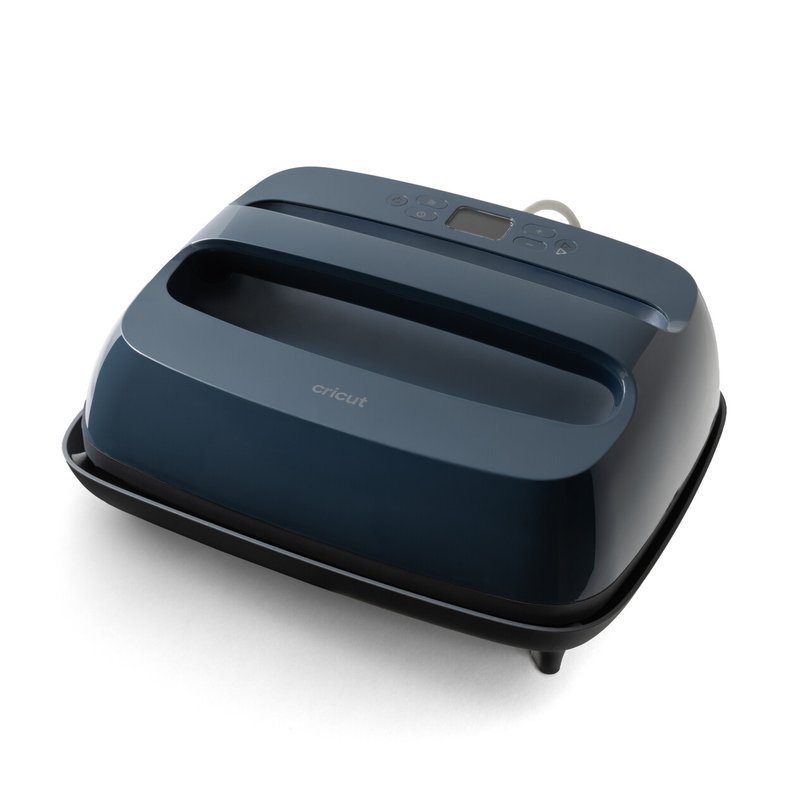
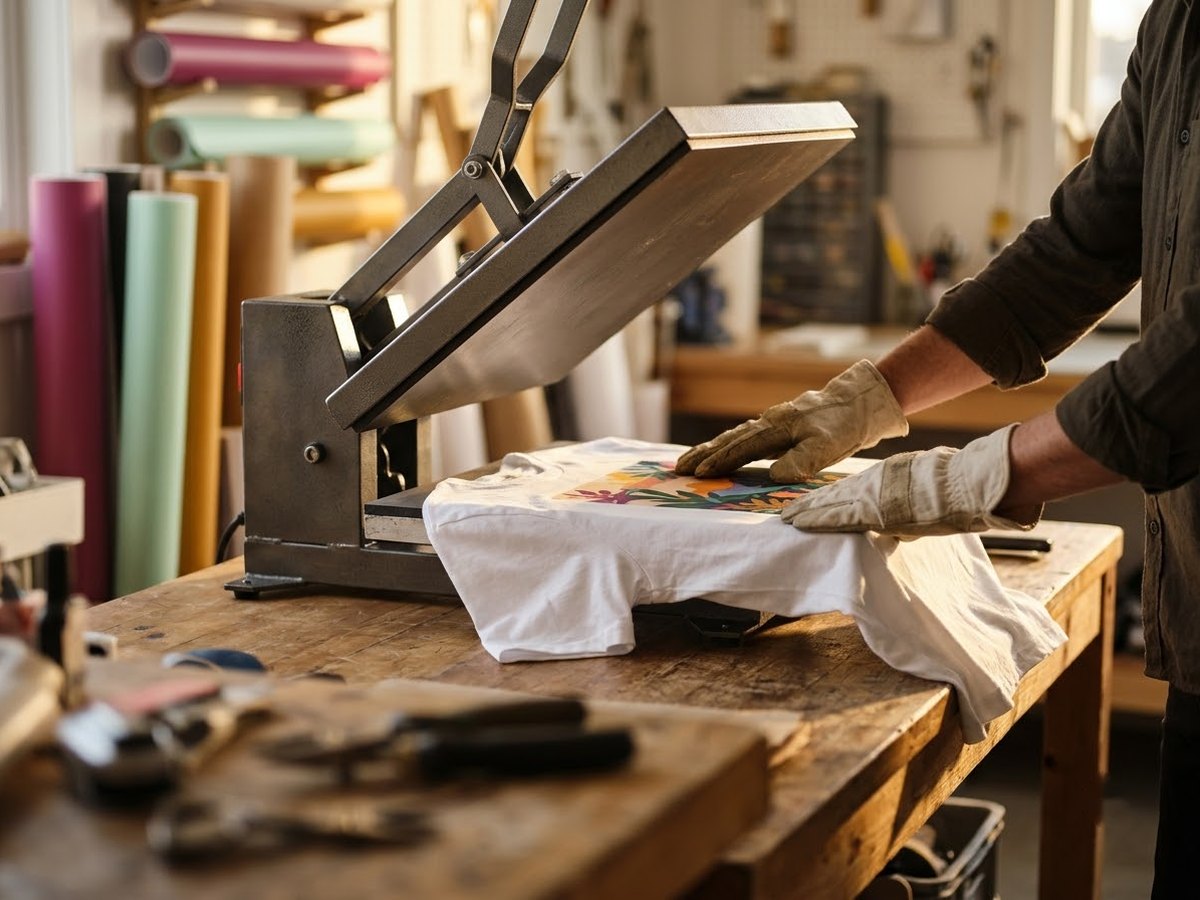
How a heat press works
Every heat press does the same three jobs. It heats a flat or shaped plate, holds that plate against the item, and counts down a timer. What changes between machines is how evenly they heat, how much pressure they can apply, and how you open and close them.
The three settings on every transfer sheet
- Temperature: the heat that activates the vinyl’s adhesive or turns sublimation ink into a gas. Lawson says sublimation inks turn to gas at 400°F.
- Time: how long the platen stays closed. Siser lists 10–15 seconds for EasyWeed vinyl, while Sawgrass lists ceramic mugs at 150–300 seconds.
- Pressure: how hard the platen presses. Siser says that without enough pressure, vinyl may lift when you peel the carrier or come off in the wash.
Transfer Express says a heat press gives accurate, digitally readable temperatures, and Lawson notes that most presses now show temperature and time on an LCD screen. That readout is the set point, though. Sawgrass says the actual platen temperature can differ from the display by 5–40°F or more, and that presses drift as their heating elements and sensors age.
Heat-up takes a while. STAHLS’ says a press typically needs about 20 minutes to reach temperature, and some applications call for up to 400°F.
What you can make with a heat press
The press is the same for most methods; the transfer decides what you can decorate. Here is how the main transfer types differ, according to the companies that make or sell them.
| Method | How it bonds | What it works on |
|---|---|---|
| Heat transfer vinyl (HTV) | Vinyl is cut from sheets or rolls and its adhesive bonds under heat (Printful) | Siser lists cotton, polyester, cotton/poly blends and leather for EasyWeed |
| Sublimation | Ink turns from solid to gas and bonds with polyester (Lawson) | Only polyester fabric or polyester-coated hard goods, usually white or light (Epson) |
| DTF (direct-to-film) | Ink and white base printed on PET film with adhesive powder, then pressed on (Shopify) | Cotton, polyester, denim, nylon and dark fabrics, per Shopify |
| Infusible Ink | Cricut’s sublimation-based sheets infuse into the blank without adhesive | Blanks with at least 75% polyester, white or light, per Cricut |
Sublimation is the one with hard limits. Epson says it works only on polyester fabrics or polyester-coated items and advises avoiding cotton and dark fabrics. If most of your blanks are cotton tees, vinyl or DTF is the realistic route. Our guide to heat presses for sublimation covers what a press needs for that work.
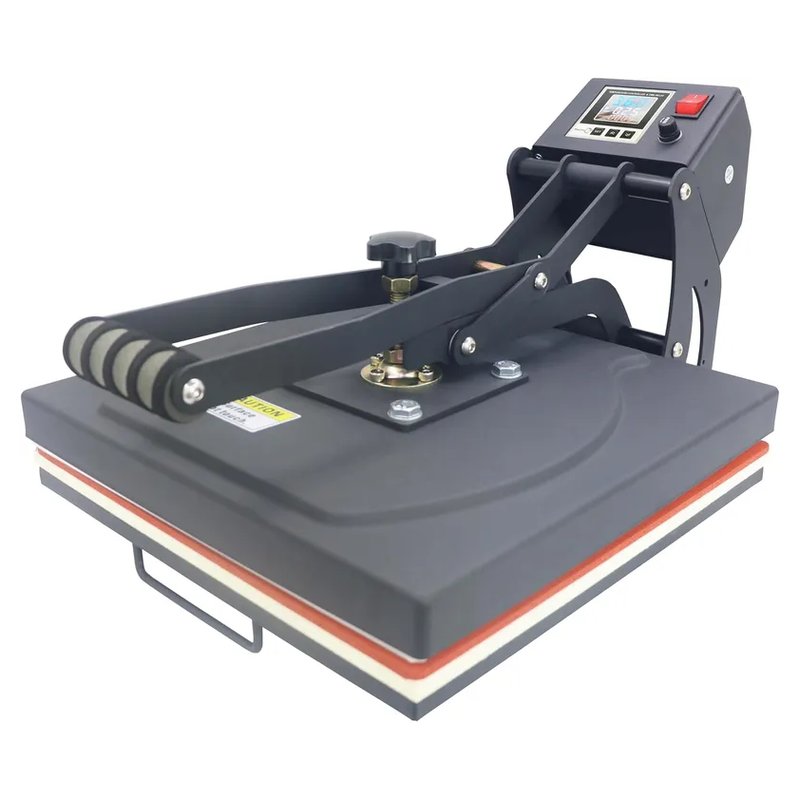
Classic tabletop clamshell · Mid-range price range
RoyalPress 15×15 Color LED
RoyalPress lists a 15 x 15 in clamshell with a pressure knob, a maximum of 480°F and a color LED controller with a piece counter and memory. It suits shirts and flat sublimation blanks.
Check platen sizes ›The main types of heat press
Presses come in a few shapes. The type changes how you load the item and how close your hands get to the hot plate.
- Clamshell: the upper platen is hinged at the back and opens like a mouth. STAHLS’ calls it easy to use and good for beginners, and Heat Press Nation notes many models have a small footprint.
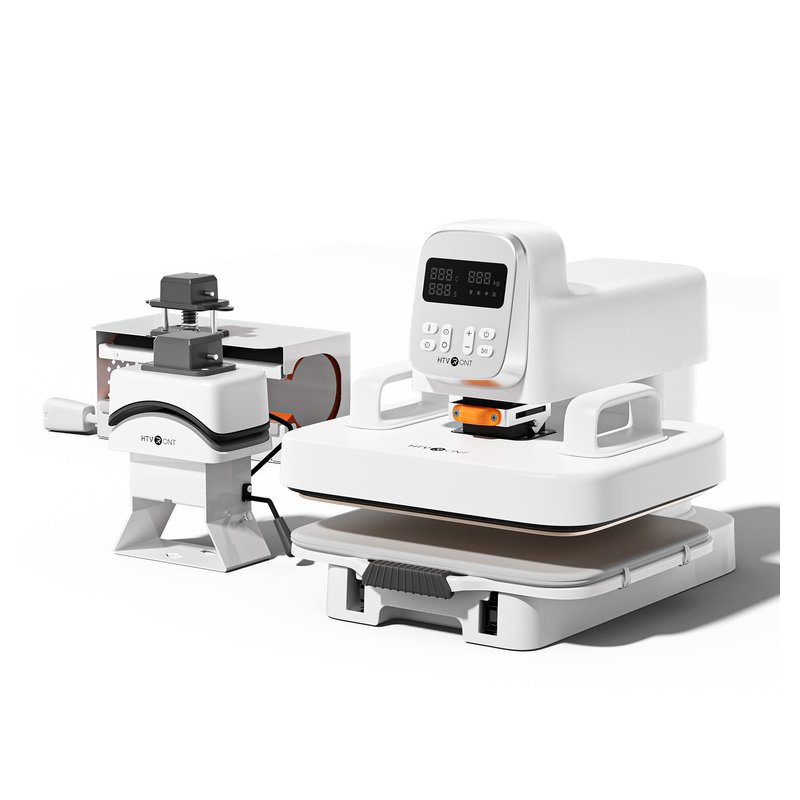
- Swing-away: the heating element lifts and swings out of the way, leaving the lower platen clear. Heat Press Nation says thicker items such as plaques and photo tiles suit this style best.
- Drawer (pull-out): the lower platen slides toward you, so you lay out the garment away from the heat, as STAHLS’ describes it.
- Auto-open: the press lifts by itself when the timer ends. Lawson says this helps avoid scorched garments if you step away.
- Handheld: an iron-shaped press you push by hand. Cricut says pressure depends on how hard you press, but the heat is more even than an iron’s.
- Specialty presses: hat presses with curved plates and mug presses that wrap around a straight-walled mug.
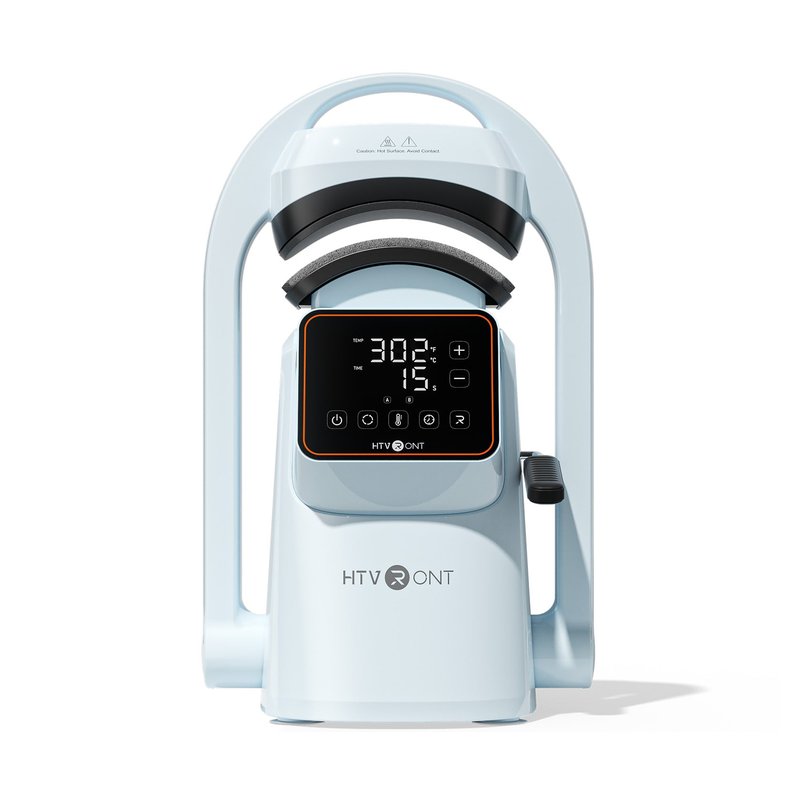
For caps and hats · Mid-range price range
HTVRONT A300 Auto Hat Press
HTVRONT lists the A300 as an automatic hat press with two curved platens, a 104–410°F range, 350 W at 120 V, and two presets plus a memory mode on a touch screen.
See details ›Cricut says its Hat Press uses a curved heat plate with a hat pressing form, and Stahls’ recommends a platen matched to the hat’s shape. If caps are your main project, see our picks for heat presses for hats.
For mugs only · Budget price range
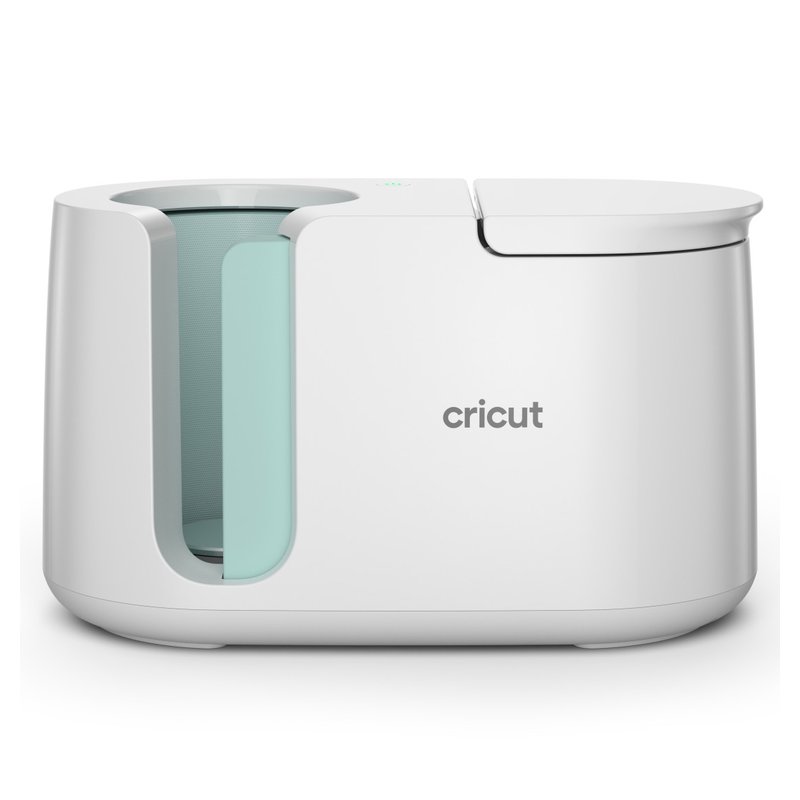
Cricut Mug Press
Cricut’s product page lists the Mug Press for straight-walled 11–16 oz mugs (its help article says 10–16 oz), 82–86 mm across, with one-touch settings and no manual temperature dial. It works with Infusible Ink and sublimation mugs.
See full specs ›Why a press instead of a household iron
Vinyl makers do publish iron instructions, so an iron can work for small jobs. The trouble is size and consistency.
- Transfer Express says an iron covers about 3 x 10 in, while a standard adult print is about 11 x 11 in, so ironing a full design means pressing it in sections.
- The same source says an iron can reach the right heat in spots but runs much cooler around the edges.
- STAHLS’ estimates about 90 seconds per shirt with a hand iron versus about 15 seconds with a heat press.
- STAHLS’ also calls even pressure critical for HTV and says it can’t be achieved with a hand iron.
For a handful of small iron-on projects a year, that may not matter. For shirts you want to wear and wash often, or for anything you plan to sell, keep in mind Transfer Express’s warning that the wrong time, temperature and pressure can cause cracking or peeling after a few washes.
What you need besides the press
A GRAPHICS PRO article says a heat press is the only machine a heat-printing business needs unless it also cuts vinyl. The rest depends on your method:
- A transfer. HTV needs a cutter such as a Cricut or Silhouette. Sublimation needs a sublimation printer, ink and paper; Heat Press Nation says a printer used for sublimation can’t go back to regular printing. DTF can be bought printed: Castle Ink says suppliers print transfers to order.
- A cover sheet. Siser’s instructions call for a heat transfer cover sheet or multipurpose paper over the design.
- Heat-resistant tape to hold designs in place, which Cricut calls for on mugs and hats.
- A sturdy surface. The Siser Clam Basic manual specifies a stand at least 36 x 24 in and 29 in high.
- A grounded wall outlet. Manufacturers list circuit needs in the manual; Hotronix says not to share the circuit with other high-demand equipment.
If you are just starting out, our shortlist of heat presses for beginners sorts handheld and tabletop options by how much room and practice they need.
Honest note
A heat press doesn’t make every transfer stick on its own. Displays show the set point, not the real platen temperature, and STAHLS’ says the leading cause of ruined garments is a press with cold spots. GRAPHICS PRO adds that one bad order from a cheap press can cost more than the price gap to a better one. We did not test these presses; specs are the brand’s own.
Questions people ask
What does a heat press do?
A heat press holds a heated platen against an item for a set time, temperature and pressure so a transfer bonds to it. Transfer Express says all three settings are needed for a successful heat transfer. The press doesn’t print or cut the design itself.
Can a heat press print on any shirt?
No. It depends on the transfer. Siser lists cotton, polyester, blends and leather for EasyWeed vinyl, but Epson says sublimation works only on polyester or polyester-coated items and advises avoiding cotton and dark fabrics.
How hot does a heat press get?
It varies by model. Cricut lists 400°F for the EasyPress SE, HTVRONT lists 410°F for its Auto Heat Press 2, and RoyalPress lists 480°F. Most transfers need far less, so follow the temperature on your transfer’s instructions.
How long does a heat press take to heat up?
STAHLS’ says a press typically takes about 20 minutes to heat up. Wait until the display reaches the temperature your transfer sheet lists before pressing, and remember Sawgrass’s point that the display shows the set point, which can differ from the real platen temperature.
Is a heat press hard for a beginner to use?
Not usually. STAHLS’ calls clamshell presses easy to use and good for beginners. The learning curve is matching settings to each material, so start with the maker’s instructions and press a test piece first.
Read first: best heat press machine · heat presses for beginners
Sources: Transfer Express: Can I use a household iron? · Epson: Sublimation printers for makers · Shopify: Direct-to-film printing · Sawgrass: Heat press calibration guide · STAHLS’: Home iron vs heat press · Siser: EasyWeed
This article is general information. Heat presses get hot enough to burn skin: follow your press manual and the instructions that came with your vinyl, paper or transfers, and plug the press straight into a grounded outlet.